How to Choose the Right A4 Label Paper for Your Business?
Choosing the right A4 Label Paper is a small purchasing decision with visible consequences. A label that curls at the corners, smears under a barcode scanner, or jams in a desktop printer can slow a busy packing bench. The best choice depends on the whole job: printer type, adhesive, surface, handling conditions, and application speed. No single sheet suits every business.
Industry research helps frame the decision. Smithers’ report, The Future of Labels and Release Liners to 2028, examines market and technology trends across label materials and printing. Its scope points to a practical reality: buyers must match stock to both printing equipment and end use. A glossy finish may look sharp on a product box, yet perform poorly if the surface is dusty or frequently handled. Test a sample. Then test it again on the actual printer.
Label-industry analyst Mike Fairley is a relevant expert reference, but I cannot verify a direct quotation from him specifically about A4 label paper. I won’t invent one. His field’s central lesson is still clear: judge a label as part of a working system, not as paper alone. Check sheet compatibility, adhesive strength, print clarity, and peel behavior before ordering in bulk. A few trial sheets can reveal problems that a catalogue photo cannot. It is easy to overlook storage, too; humidity can affect feeding and adhesion. This guide will help compare the options with those real-world details in mind.
Identify Your Business’s Labeling Requirements
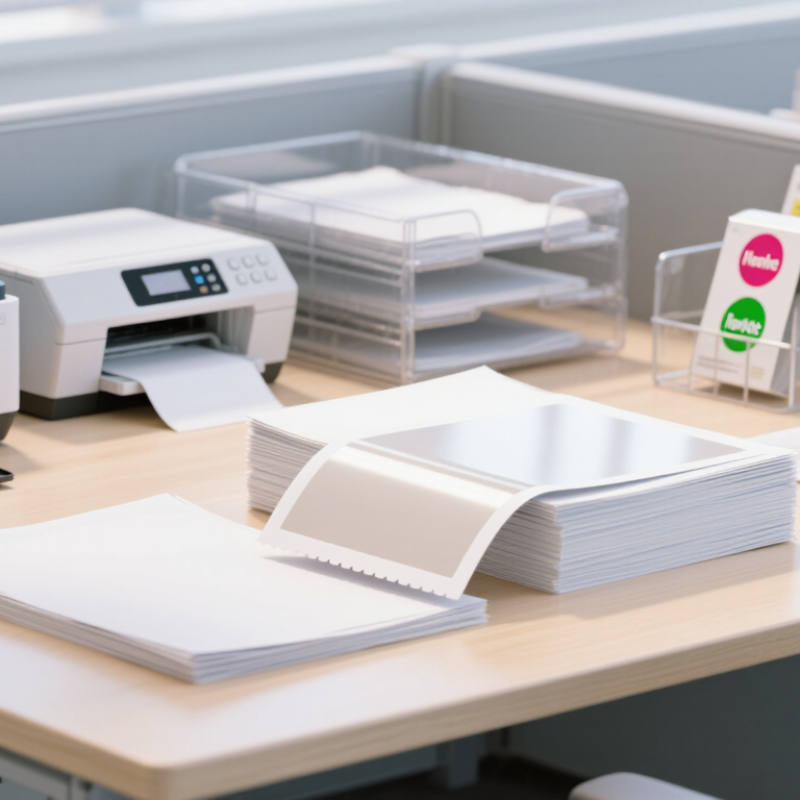
Before choosing A4 label paper, define what each label must do. Will it identify parcels, mark storage boxes, or display product details? Note the label size, how many you need per sheet, and whether staff will print one sheet or several hundred. Small differences matter. A parcel label may need a larger address area, while a shelf label may need room for a short code and clear price.
Check your printer before buying paper. Inkjet and laser printers use different printing processes, and not every sheet suits both. Confirm the paper’s stated compatibility and your printer’s recommended media weight. Then consider the surface: inkjet prints can smudge if handled too soon, while some laser printers may struggle with thick sheets. Test a few pages first. Look for clear text, clean edges, and labels that peel without tearing.
The setting matters, too. Labels stored in a cool stockroom or handled with damp hands may need stronger adhesive than labels used indoors for a day. Think about contact with dust, light, or frequent handling. A stronger adhesive is not always better; it can leave residue or damage packaging. It is easy to over-specify. I would compare two suitable samples on actual boxes, not just on a desk, and check them after a few days. That small test can reveal curling, poor adhesion, or a layout that looked fine on screen but wastes space on the sheet.
Compare A4 Label Paper Materials and Finishes
A4 label paper generally comes in standard paper and synthetic options. Paper is economical and easy to write on, making it suitable for shelf labels, folders, and short-term packaging. Uncoated paper has a natural, slightly rough feel, but ink may smudge if handled before drying. Coated paper gives sharper text and images. Synthetic materials, such as polypropylene, resist moisture and tearing better, though they may need printer settings suited to their surface.
The finish changes both appearance and everyday use. Matte labels reduce glare under bright shop lights and are easier to mark by hand. Gloss finishes make colors look more vivid, but fingerprints and reflections can be distracting. It depends. A clean, glossy jar label may look polished; a matte stock may be more readable on a busy storage shelf. “Premium” is not a material specification, and that distinction is easy to overlook.
Check printer compatibility before ordering, especially when comparing inkjet and laser sheets. Then test a few labels on the actual surface: a cardboard box, glass bottle, or plastic bin. Look for curled corners, blurred edges, and adhesive that lifts after a day. Small trials matter. Humidity, handling, and surface texture can change the result, so a finish that works in an office may disappoint in a chilled storeroom. No single option wins every time.
Check Printer Compatibility and Adhesive Type
Printer compatibility comes before price. Inkjet printers need label sheets with a coating that absorbs ink without smearing; laser printers require stock rated for fuser heat. Check the printer manual for supported sheet weight, thickness, and feed direction. A sheet that curls or jams can waste a whole batch. Print one test page at actual size, then inspect small text, barcodes, and alignment. A 2024 Grand View Research analysis valued the global printed-label market at roughly US$45 billion in 2023, underscoring the scale of demand for consistent label production.
Adhesive choice depends on the surface and conditions. Permanent adhesive suits shipping cartons, while removable adhesive may work better on reusable containers. For chilled products, verify that the adhesive bonds at low temperatures; a label that sticks at room temperature may lift in a cold room. Dusty, textured, or curved surfaces also need testing. It is easy to overlook the container itself. That can be costly.
Tips: Match the label stock to your printer, then test it on the real package. Apply a few labels and check them after a day, including after handling or refrigeration. Keep notes on printer settings, surface type, and adhesive performance; the first choice may not be the best one.
Choose the Right Label Size and Sheet Layout
A4 measures 210 × 297 mm, but the usable area is smaller once printer margins and sheet gaps are considered. Start with the label’s job: a shipping label needs room for an address and a scannable code; a shelf label may need larger, clearer text. GS1’s General Specifications explain barcode sizing and quiet zones, so allow clear space around codes rather than filling every millimetre.
Then match label size to the information and the object it must fit. Count the rows and columns on the sheet, and check the gap between labels against your printer’s feed and sensor requirements. Smithers’ report, The Future of Labels and Release Liners to 2027, forecast the global labels market would reach $67.6 billion in 2027. That scale makes consistency valuable, but it does not mean one sheet layout suits every workflow.
Print a test sheet at actual size. Check the first and last columns, since alignment can drift near the edges. Small tests matter. I still think layouts are easy to underestimate: a few millimetres can clip a code or leave text too cramped. Confirm the template dimensions with a ruler, then test a full sheet before ordering in bulk.
Assess Durability, Cost, and Supply Needs
Choose A4 label paper by testing the conditions it will face, not just by comparing pack prices. A glossy sheet may look sharp on a parcel, yet smear if the printer setting is wrong. Check printer compatibility, adhesive grip, and resistance to moisture or rubbing. Print a sample, apply it to the real surface, then handle it after a day. Test first.
Cost per sheet can be misleading. Include misprints, jams, peeling labels, and staff time in your comparison. Smithers’ report, The Future of Labels and Labeling Markets to 2027, forecast continued growth in the global label market, reflecting broad demand across applications. That does not mean every business needs premium stock. A simple warehouse label may need clear text and dependable adhesion, not a costly finish. I would avoid choosing the cheapest option before a small production test; it is an easy saving to regret.
Supply consistency matters when labels support daily packing or inventory work. Check sheet count, delivery lead time, and whether replacement stock has the same dimensions and adhesive properties. The U.S. EPA’s 2018 Advancing Sustainable Materials Management report recorded a 68.2% recycling rate for paper and paperboard, but this is not a label-specific figure. Label backing and adhesive can affect disposal, so verify local recycling guidance rather than assuming the whole sheet is recyclable. Keep a modest reserve, but review stock regularly; over-ordering can leave you with paper that no longer suits your workflow.